
How to Write SQL Queries | Wildcard Search using LIKE
In previous posts, we introduced some database fundamentals, introduced the basics of a SELECT Statement, discussed column expressions and filtering with the WHERE clause. In this post, we take some time to look at how we can combine the WHERE (to filter rows) and the LIKE operator based on a wildcard
The Basics of a SELECT query
In the previous post, we introduced the syntax for a SELECT Statement. You can find this below
SELECT <Column Expression>,...,<Column Expression> | *

FROM <table> [JOIN <table> ON <join condition>]

WHERE <filter condition>

GROUP BY <column>,...,<column>

HAVING <filter condition>

ORDER BY <column>,...,<column>
The LIKE Operator
The LIKE operator can be used in a WHERE condition to search for Wildcards, the like operator uses the % (percent) symbol and the _ (underscore) characters as special characters.
- % means any number (including zero or none) of any characters.
- _ means any character but exactly one occurrence of it.
Again, let’s put this into some context and use it in a WHERE condition. Let’s look at some patterns
- ‘A%’ will find all rows that start with an A
- ‘%B’ Will find all rows where the last character is B
- %C% will contain at least one C
- _G% the second character is a G
Just a word of caution depending on the pattern you use will dictate whether the database can use an index when retrieving the data. More on that in a later post but just keep that in mind for now.
Like Operator Example
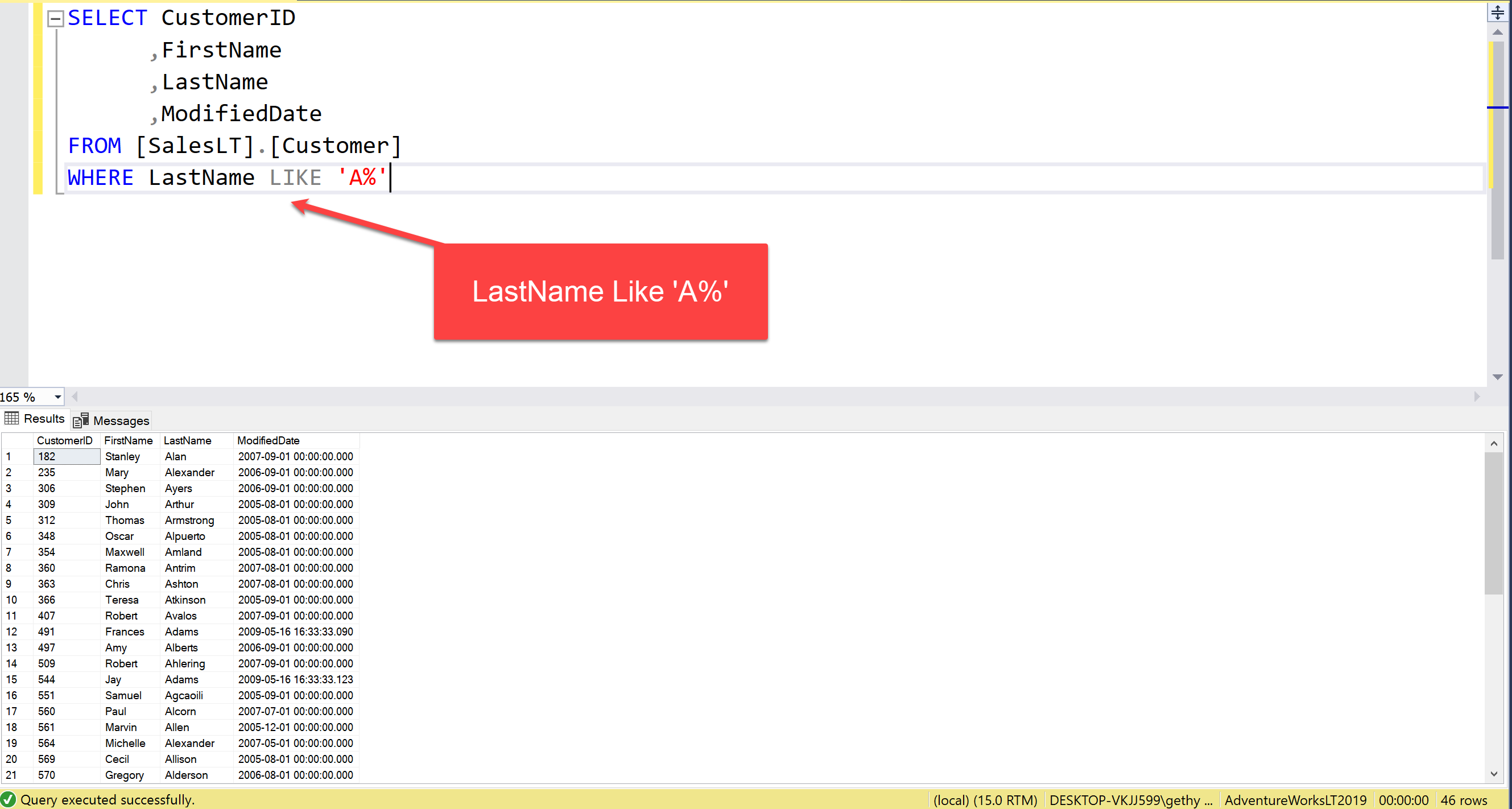
We will use our customers table in the AdventureWorks 2019LT database for this. We will look to retrieve all customers whose last name begins with an A
SELECT CustomerID

,FirstName

,LastName

,ModifiedDate

FROM [SalesLT].[Customer]

WHERE LastName LIKE 'A%'
As you can see there 46 customers who meet this condition

Other Useful Information
If you are interested in attending some formal training the check out our Writing SQL Queries training page. If you would like to speak to us directly please use this contact form
Summary
In this post, we have briefly discussed the LIke condition in a WHERE clause that can be used for wildcard searches. This can be a useful feature. However, just one word of caution, watch out for WHERE conditions that prevent the database engine from using an index to retrieve the data. This can be harmful to performance.
What you need to follow along
If you would like to follow along with demos and examples here then you can download all you need here:
- SQL Server 2019 Developer edition
- SQL Server Management Studio
- AdventureWorksLT2019 – The small version of the AdventureWorks sample database
All of the above are free to download and install. You might need a reasonable specification laptop to run SQL Server but I suspect most commodity hardware could cope these days
Useful Links
Check out our data analysis videos on YouTube
- Database fundamentals – How to Write SQL Queries series.
- Simple SELECTS – How to Write SQL Queries series.
- Column Expressions – How to Write SQL Queries series.
- Filter with WHERE – How to Write SQL Queries Series
0 Comments