
Prompt frameworks are the difference between AI output you can put in front of a client and output you quietly delete. Over the last year, almost every client engagement I’ve been on has ended with the same question in the room.
Whether it’s a Microsoft Fabric rollout, a Copilot adoption programme, or an AI readiness assessment, someone eventually asks:
“How do we actually get consistent output from these models?”
It’s the right question. Most teams I work with have already deployed Copilot or ChatGPT. The tooling isn’t the problem. But the output is inconsistent — sometimes brilliant, sometimes unusable. Same model, same data, wildly different results.
Nine times out of ten, it isn’t the model. It’s the prompt structure.
And the fix isn’t a “magic phrase” or a clever trick from a LinkedIn carousel. It’s a small library of repeatable frameworks that anyone on the team can apply, so that “good prompt” stops being a matter of personal style and starts being a matter of process.
The three mistakes I see in 90% of enterprise prompts
Before we get to the frameworks, it’s worth naming the pattern. When I audit prompts inside enterprise teams, the same three mistakes show up again and again:
1. No role defined. Without a role, the model defaults to a generic assistant voice. You get output that reads like a helpful undergraduate wrote it, regardless of whether you needed a CFO’s perspective or a security architect’s.
2. No output format specified. You ask for “an analysis” and you get four paragraphs of prose when what you actually wanted was a three-column table, a bullet list, or a structured memo.
3. No constraints. Nothing in the prompt tells the model what “good” looks like — no word limit, no tone anchor, no example of the desired output. So the model hallucinates plausibly and you spend 20 minutes correcting it.
You can patch any one of these and see improvement. Patch all three with a repeatable structure and you transform the quality of output across the team.
Prompting vs. prompt engineering
There’s a difference between prompting — writing an ad-hoc instruction and hoping for the best — and prompt engineering, which is a discipline.
Prompt engineering as a discipline looks like this inside a client organisation:
- A framework library, so nobody reinvents the wheel on every task.
- Prompt versioning, so you can A/B test and audit what’s being sent to the model.
- Output evaluation, so “good” is measurable rather than vibes-based.
- A review gate, so AI-assisted output hits the same bar as human output before it goes to a client or a board.
Most of the “prompt engineering” content on LinkedIn is tactics — magic phrases, clever hacks. Tactics are entertaining. Systems are billable. If you’re teaching a 500-person organisation to use AI responsibly, you need systems.
The framework library is the foundation of that system. That’s what this post is about.
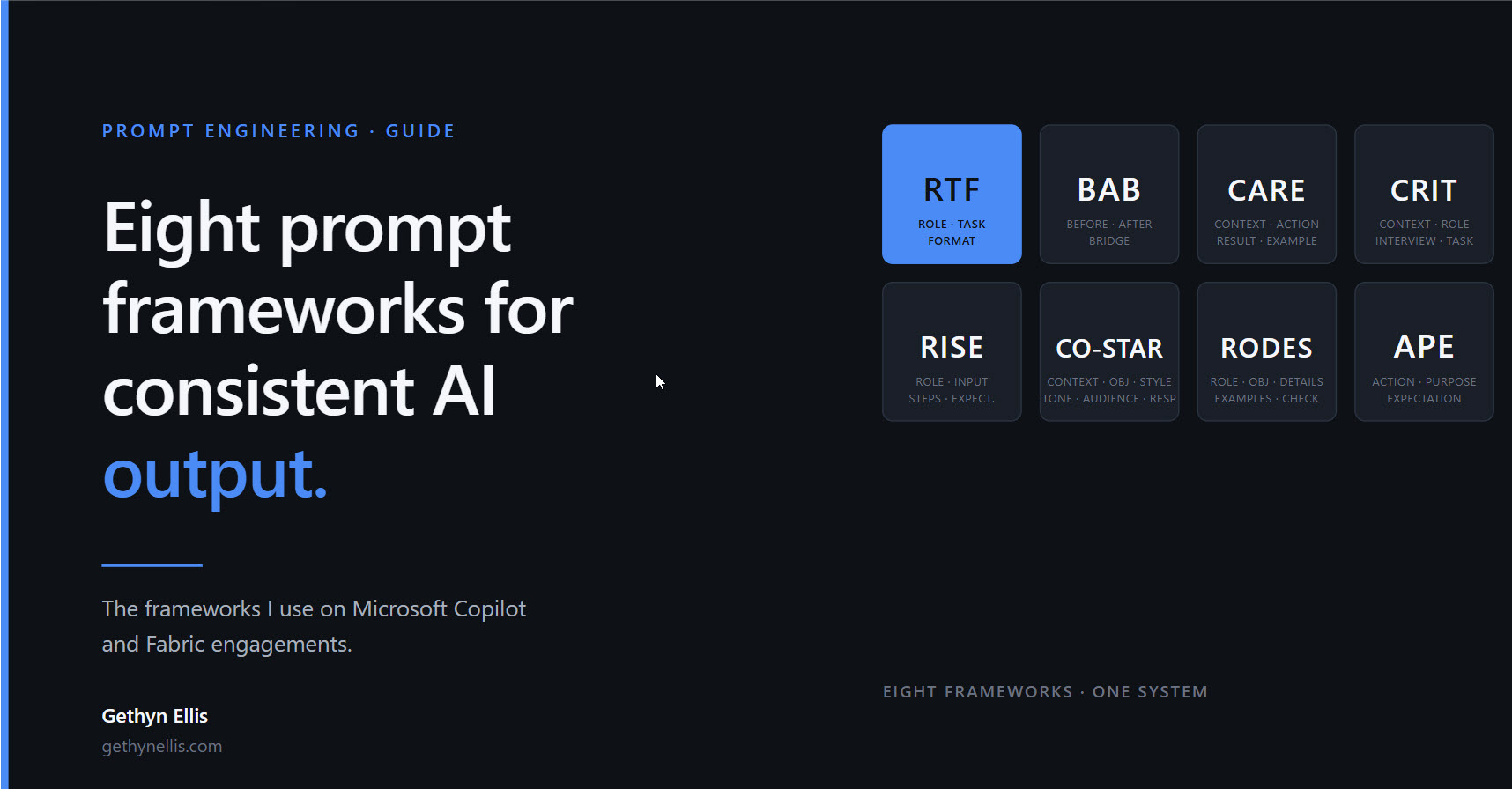
The eight frameworks I use most often
These are the eight frameworks I reach for on live engagements. Each one solves a different class of problem — the skill is knowing which to reach for.
1. RTF — Role, Task, Format
Best for: quick transactional outputs where you need consistency fast.
The simplest framework and the one that fixes the most problems. You define who the model should act as, what it needs to do, and how the output should be shaped.
Example: “You are a CFO preparing a board update. Summarise Q3 performance against the three KPIs below. Output: five bullets, max 15 words each, plain English, no jargon.”
RTF is my default starting point for any new prompt. Probably 60% of day-to-day prompts don’t need more than this.
2. BAB — Before, After, Bridge
Best for: transformation and persuasion.
Describe the current state (Before), the desired state (After), and the bridge between the two. Particularly powerful for internal change communications, sales collateral, and anything where you need to move a reader from one position to another.
Example: you’re drafting comms for a Copilot rollout. Before = “we waste two hours a week on status updates.” After = “status updates take ten minutes.” Bridge = “here’s how Copilot does it.”
3. CARE — Context, Action, Result, Example
Best for: outcomes and case studies.
Particularly powerful when you need the model to replicate a specific tone or outcome pattern. Include a prior piece of work as the example and the model calibrates to it. This is the framework I use most for client case studies and testimonial drafting.
4. CRIT — Context, Role, Interview, Task
Best for: complex strategic briefs.
The “interview” element is what sets CRIT apart — you ask the model to interrogate you before it drafts. It surfaces the assumptions you hadn’t stated, which is where most complex briefs fall apart. Heavier to use than RTF, but worth it when the output has to stand up to scrutiny.
5. RISE — Role, Input, Steps, Expectation
Best for: phased deliverables and plans.
The “steps” element makes RISE particularly useful for multi-stage work — a project plan, a phased migration, a training programme. The model produces output you can lift straight into a delivery plan rather than having to restructure it.
6. CO-STAR — Context, Objective, Style, Tone, Audience, Response
Best for: voice-specific content.
The heaviest framework on the list and the one to reach for when voice and tone matter as much as content. Style, tone, and audience are separated out deliberately — you often want a formal style, a direct tone, and a non-technical audience, and most frameworks collapse those into one instruction.
Use CO-STAR for exec comms, board papers, and anything that has to read in a specific person’s voice.
7. RODES — Role, Objective, Details, Examples, Sense-check
Best for: accuracy-critical content.
The “sense-check” element is what makes RODES different. You ask the model to flag anything that looks questionable before you accept the output. Particularly valuable for regulated content, technical documentation, and any output where a hallucination has a real cost.
8. APE — Action, Purpose, Expectation
Best for: ultra-lean, fast tasks.
The minimum viable structure. Use it when you need something quickly but still want more than a three-word prompt. APE is what I reach for when I’m mid-flow on something else and just need a quick assist — not when the output has to go anywhere important.
A before-and-after example
Here’s what this looks like in practice.
Before (no framework):
“Write something about our Q3 results for the board.”
After (RTF applied):
Role: You are a CFO preparing a board update. Task: Summarise Q3 performance against the three KPIs below. Format: Five bullets, max 15 words each, plain English, no jargon.
Same model. Same underlying data. Completely different output. The first version produces a generic press release. The second produces something you can put in front of a board.
That’s the entire point of a framework. It’s not about finding the perfect sentence. It’s about structuring the instruction so that the output is good every time, not just on the lucky runs.
A real client example
A finance team I worked with was spending two hours every Monday drafting the executive summary for their weekly trading pack. They’d tried ChatGPT — it made things worse. Generic copy, wrong tone, numbers the MD didn’t trust.
We didn’t change the model. We changed the prompt structure using CARE:
- Context: the purpose of the trading pack, the audience, the three sections required.
- Action: draft the executive summary against the data provided.
- Result: a 250-word summary, four sections, direct tone, no hedging.
- Example: the prior week’s summary, which the MD had signed off on.
The result: fifteen minutes instead of two hours. The MD couldn’t tell which summaries were AI-assisted and which weren’t.
That’s the difference structure makes. And it scales — the same framework can be rolled out to the whole team, with the same result, by people who didn’t design it.
Which framework should you start with?
Eight frameworks is enough to handle most real-world prompting scenarios, but it’s also enough to be paralysing if you try to adopt them all at once. A practical sequence:
Start with RTF for any transactional output — board summaries, meeting notes, quick drafts. It’s the 80/20 framework.
Add CARE when you need to match an existing voice or tone. The example component does most of the work here.
Reach for CO-STAR or RODES when the stakes rise — exec comms where voice matters (CO-STAR), or regulated/technical output where accuracy matters (RODES).
Use BAB, CRIT, RISE, and APE situationally. BAB for change narratives. CRIT for briefs where you don’t fully know the brief. RISE for multi-stage plans. APE when you just need a quick win.
Don’t try to adopt all eight at once. Pick two, use them until they’re muscle memory, then layer in the rest.
How to use this in your organisation
If you’re responsible for rolling AI out inside a real organisation — whether that’s a Copilot adoption, a Fabric engagement, or an internal AI enablement programme — three practical steps:
- Pick two or three frameworks from the eight above and standardise on them. RTF and CARE cover most day-to-day work. Add CO-STAR or RODES for the more sensitive cases.
- Build a shared prompt library. Even a simple shared document of “here’s our RTF template for board updates” eliminates the per-person variation that kills consistency.
- Evaluate the output. Pick two or three quality dimensions (accuracy, format compliance, tone match) and score outputs against them. If a prompt doesn’t consistently score well across ten runs, it needs more structure — not a different model.
Try the frameworks
I’ve packaged all eight frameworks into two free resources.
The first is an interactive tool. Pick your scenario, choose a framework, describe your task, and it returns a fully structured prompt you can paste into Copilot or ChatGPT. Under a minute, no signup required.
On the same page, there’s also a PDF cheat sheet you can download — every framework, when to use it, a worked example, and the failure modes to avoid. It’s designed to live on a second monitor or get shared into a team channel.
→ Access the prompt frameworks tool and PDF
Both are drawn directly from live client work. They’ll land hardest if you’re at the “we’ve deployed Copilot, now what?” stage — but they’ll be useful to anyone who wants to get more consistent output from the models they’re already using.
Gethyn Ellis is a UK-based Microsoft data and AI consultant working with enterprise teams on Fabric, Copilot adoption, and AI readiness. Get in touch to discuss a prompt systems engagement for your organisation.
0 Comments