

Every Agent Builder session I run reaches the same moment. Someone has built an agent that answers questions about their team’s documents, it works, and then they ask it to produce the Friday update. In the right format. With the right headings. From the same sources. Every week. And they discover that an agent that knows things is not the same as an agent that knows how to do a job.
Copilot Agent Builder Skills address that gap. They package the method for a repeatable job alongside the resources it needs. Here is what a Skill is, where the limits sit, and the line I use to explain it to a room.
Technical details checked against Microsoft Learn on 29 October 2026. The two Microsoft guidance pages linked below were updated on 27 October 2026.
What a Skill is
A Skill is a packaged, reusable task that you attach to an agent built in Agent Builder. Physically it is a folder, zipped. Inside is one required file, SKILL.md, which carries a name and description in YAML front matter followed by instructions of fewer than 20,000 characters. Around it you can add resource files, such as a template, reference data or definitions, and scripts. The agent loads the Skill’s instructions and contents when the task calls for them.
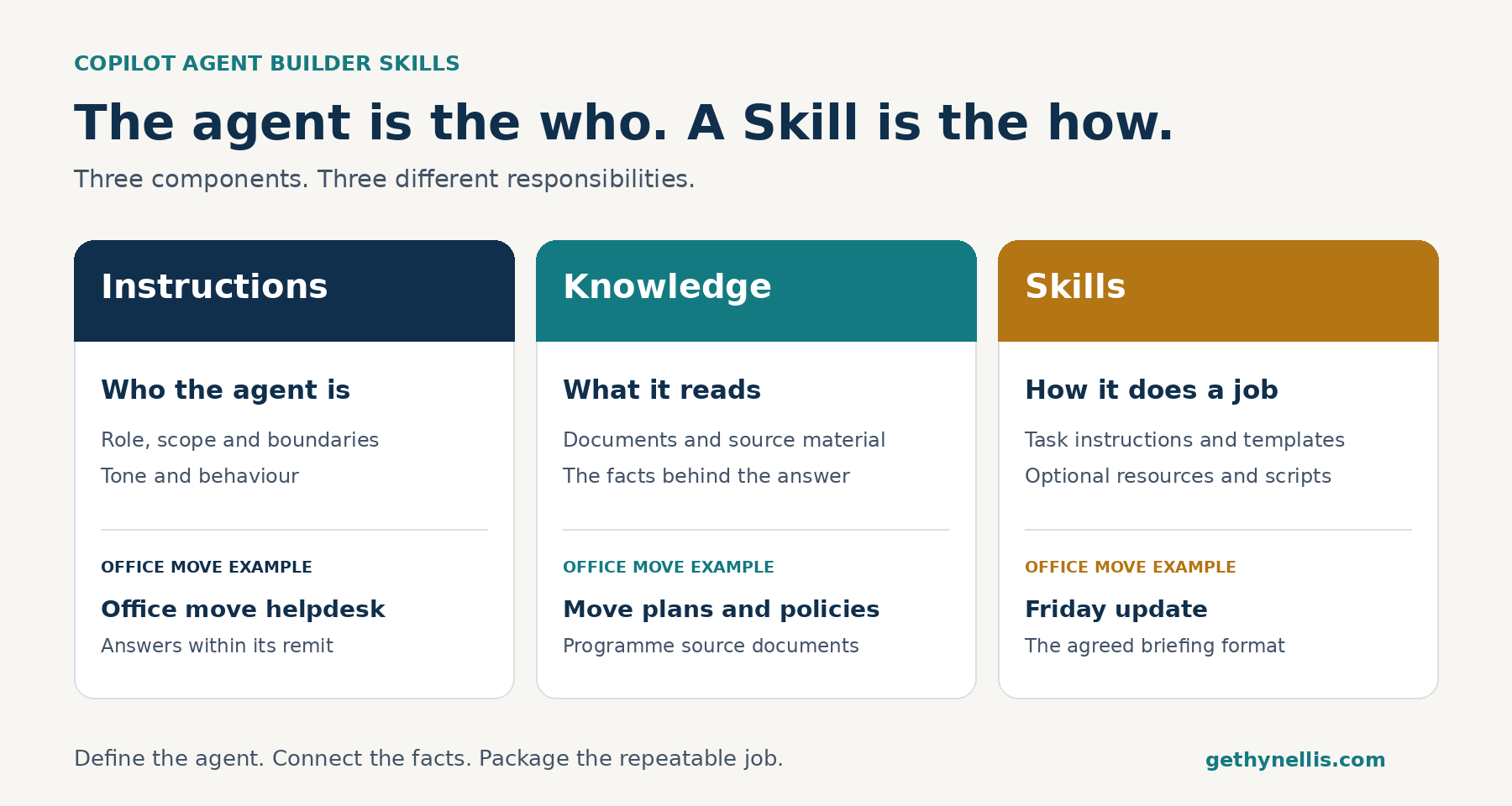
The line I use with a class is this: the agent is the who, a Skill is the how. Instructions define the agent’s role, scope and boundaries. Knowledge is what it can read within its configured access. A Skill is a repeatable job it can carry out to a standard, with the method and the template bundled in.
Why Microsoft added Skills to Agent Builder
Three problems, and anyone who has built more than a couple of agents will recognise all of them.
The instruction ceiling. Agent Builder instructions are capped at 8,000 characters. Putting every task’s method inline makes those instructions longer and harder to maintain. Skills move that detail into separate packages, so you can give more specific task guidance while keeping the agent’s core instructions focused.
Context discipline. Skills use what Microsoft calls progressive disclosure. The model pulls a Skill’s instructions and contents into context when the task calls for them. An agent with six Skills does not need all six complete methods in context for every request.
Repeatability. A Skill can carry scripts rather than relying on the model to generate code each time, and it packages the assets alongside the method. Microsoft’s example is a quarterly business review Skill for a finance team: instructions, scripts that transform the data and draw the charts, KPI definitions and a branded template, all in one package. That gives the team a repeatable method and output structure. It still needs testing.
How you add one
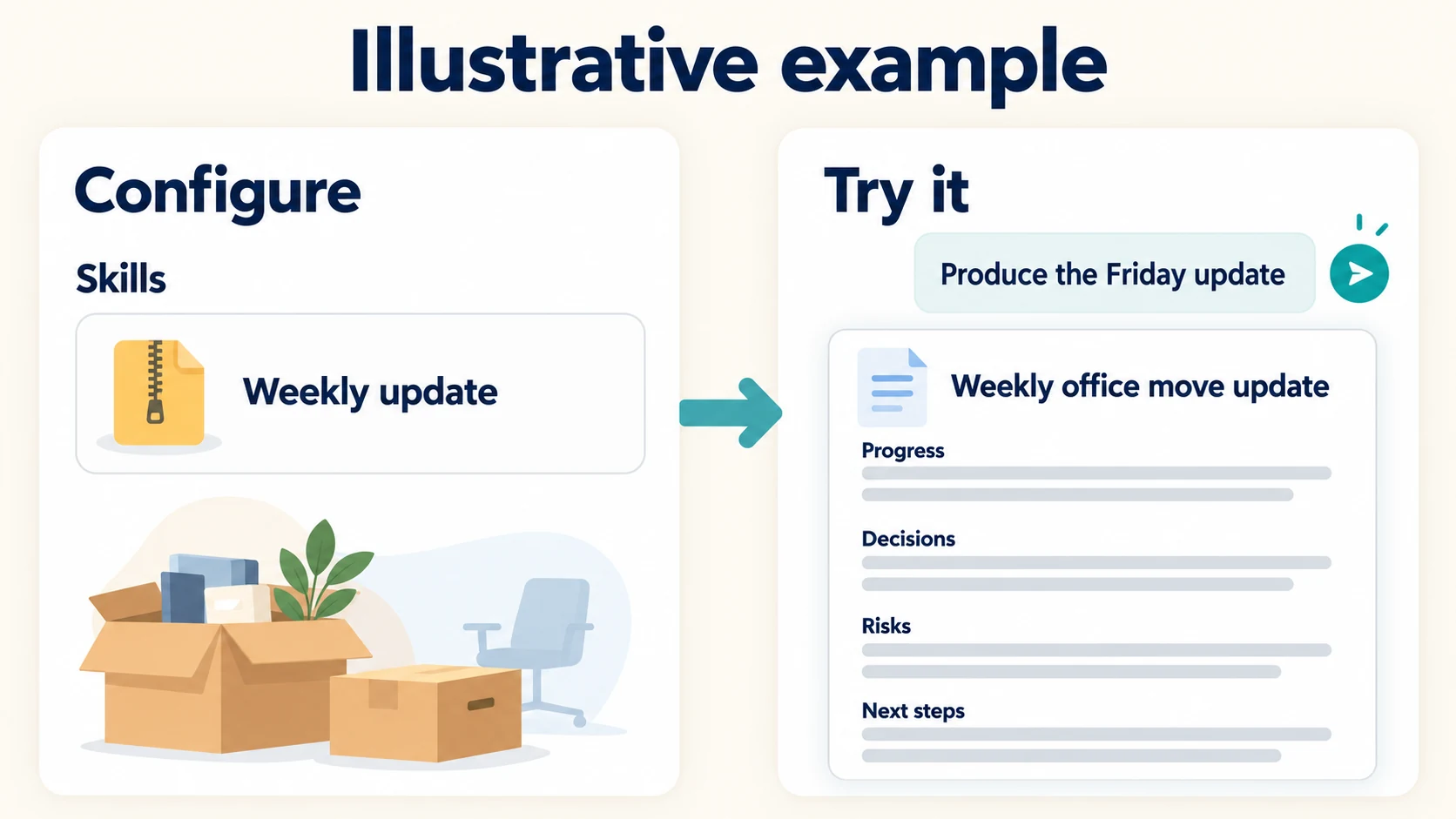
There are two routes in Microsoft’s Agent Builder guidance. You can describe the Skill in natural language in the Agent Builder chat, then check the Configure tab to confirm one was created and review it. Or you can build the package yourself and upload the complete zip under Configure > Skills > Add. Upload the complete package, not SKILL.md on its own.
Either way, test it on the Try it tab with a prompt that should trigger the Skill. Check the result against the method and template rather than accepting a plausible-looking answer.
One small thing that will catch people out: Microsoft’s documented navigation entry in the Copilot app is now labelled Agents & Skills. If your internal guidance still says Agents, check the click path in your tenant.
The limits that matter
These are the Agent Builder figures in Microsoft’s support matrix, checked on 29 October 2026. Some packaging limits differ in Agents Toolkit, so do not apply this list to both.
- Eight Skills per agent.
- Each Skill is a zip of up to 50 MB, with a 25 MB limit per file, 350 files across all Skills, and a maximum directory depth of three.
- Instructions inside
SKILL.mdmust stay under 20,000 characters. - Microsoft lists reuse across agents as unsupported. Do not assume that updating one agent’s Skill updates the same job in another agent.
- Supported files include Office documents, PDF, text, Markdown, CSV, JSON, YAML, images and logs. Supported script types include Python, JavaScript, TypeScript and shell.
The point about reuse is the one to plan around. Skills are a maintenance commitment. Decide who owns the package, how versions are tracked and how changes reach every affected agent before you let it spread.
What the scripts can and cannot do
Scripts run in a sandbox with no network access, no package installation at runtime and no authenticated network calls. They can use packages already present in the sandbox, with Microsoft’s caution not to depend on one unless you have confirmed it is there. Connectors, API plugins and MCP servers can remain available to the agent through the orchestrator, but a script cannot call them directly through the sandbox.
For the people who will ask: sensitivity labels on Skill files are retained and honoured, with the exceptions of user-defined permissions and Double Key Encryption. Uploaded Skill files are stored in tenant-scoped SharePoint Embedded containers. That answers the “where does the zip go?” question before it is asked.
The governance questions to settle first
If your tenant uses Microsoft Purview Information Barriers, admins can deploy agents that carry Skills, but end users cannot add Skills to agents they create themselves. In a regulated firm that decides whether Skills are a participant feature or a centrally managed one. Check it before designing the training.
Microsoft’s add-Skills guidance also lists a qualifying Microsoft 365 Copilot licence or pay-as-you-go access as a prerequisite. Confirm the feature, licensing and controls in the tenant you will actually use. A documentation page is not a substitute for a rehearsal.
Alongside access, settle three ownership questions: who approves a Skill, who tests changes to it, and who keeps every deployed copy current. Packaging a process does not transfer accountability for it to Microsoft or to the model.
When a Skill earns its keep
A simple rule for deciding where something belongs:
- Behaviour goes in the instructions. Tone, scope and what the agent refuses to do.
- Facts go in knowledge. The documents, the SharePoint library and other configured sources.
- A repeatable job goes in a Skill. A weekly update, a review against a checklist or a report in the team’s format.
If a task needs its own template, its own checklist, or more than a paragraph of method, it is a Skill candidate. If it fits in one line, instructions may be enough and a Skill may add overhead.
The example I use in training is an office-move helpdesk agent. The agent answers questions about the move from the programme’s documents. Add a weekly-update Skill and the same agent can produce the Friday briefing for floor champions in the agreed format, from the same sources, without anyone pasting the method in again. An agent you ask, and a job it knows. That is the idea, and it is a more useful mental model than anything in the product name.
Calling it a weekly-update Skill does not create a weekly schedule. It packages the job; you still need to decide how the work is triggered and who reviews the result.
Get the playbook
Skills make a clear, repeatable method easier to package. Your team still needs to know how to describe the job, supply the right context and ask for the right output.
The free AI Adoption Playbook is a 14-page guide to five prompt frameworks, with worked examples and guidance for rolling prompt training out across your organisation. Download it if you want a practical foundation for those habits. It is available free with your name and email address.
For help with agent ownership, governance and team training, see the AI Enablement Programme.
0 Comments